
AI in our software development: “Things are really taking off in 2026!”
How are we using artificial intelligence in the development of our products autoscan and autosign? We spoke with our senior developer, Bernhard Reuberger, about a field in which something new is constantly emerging.

Question: In our last interview about AI in mid-2025, you were particularly enthusiastic about the new AI Agent in GitHub Copilot. What has happened since then?
Bernhard: Quite a lot – especially in the last two or three months. People kept saying that 2025 would be the year of AI agents. And it was. But in 2026, things are really taking off. In software development, the new CLI agents are nothing short of a small revolution.
What are CLI agents?
CLI stands for “Command Line Interface”. The agent runs outside the development environment, directly in the terminal, and can read, modify, and execute code within a selected directory on your local machine. It feels much more like true pair programming – as if a real developer were working right beside me.
Which CLI agent does the AUTOSCAN team use?
We’re currently using Codex CLI from OpenAI. At times, I have up to three projects running in parallel – that means the agent is working independently and simultaneously on multiple features.
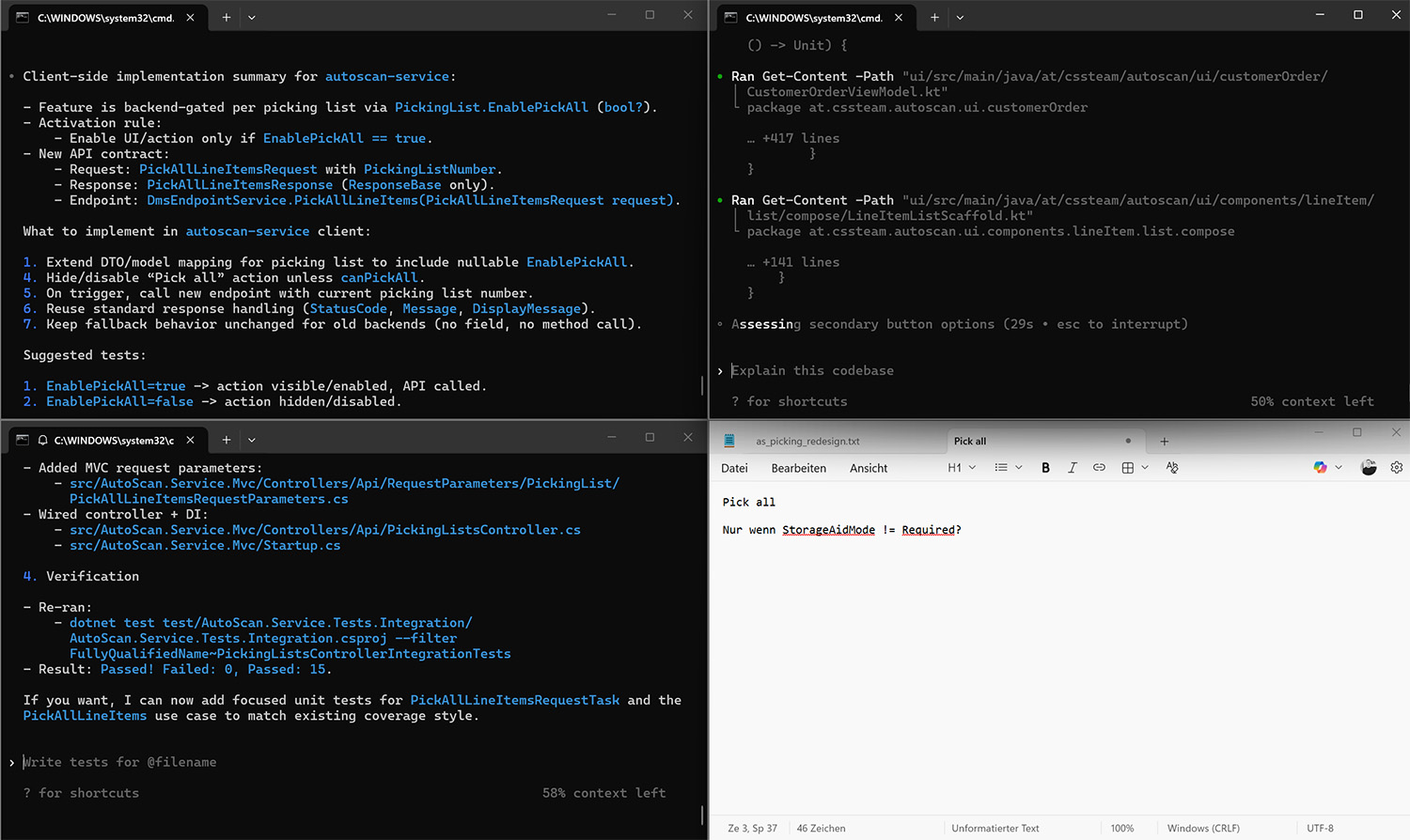
One agent to rule them all: A screenshot of Bernhard’s monitor with Codex CLI working on three features simultaneously.
My job now is to guide it properly. I explain what I need and ask it to pose questions so it can gather all the necessary information.
I also clearly define when a task should be considered complete – for example, when the project builds successfully and all tests pass. If I don’t state this explicitly, it might simply keep working indefinitely or stop too early.
When it’s finished, I review everything. Instead of making extensive changes myself, I leave targeted comments so it can correct the issues independently.
Do you have a concrete example of working with Codex CLI and its impact?
We’re currently redesigning our scanner solution, autoscan. We’re going through it function by function. Three months ago, I implemented the “Incoming goods handling” feature with the help of the AI Agent in GitHub Copilot.
For the next feature, “Picking” I asked Codex CLI to review what I had done for the first function, ask me questions about it, and apply the same approach to the second function.
Previously, this project would have taken me around ten days. With the CLI agent, it was completed in just three.
“Previously, this project would have taken me around ten days. With the CLI agent, it was completed in just three.”
So you’re working three times faster than before?
In this particular case, yes – because we already had a finished feature we could build on. In other cases, we’re probably about twice as fast.
That’s an enormous increase in efficiency.
Yes, it’s impressive what Manuel, Dejan, and I are now able to implement in a relatively short time. It allows us to pull features and improvements “out of the drawer” that previously had no priority simply because we lacked the time.
However, I want to emphasize one thing: our quality assurance remains in place. Every single line of code generated by AI is reviewed by us. After that, it goes through an additional peer review.
Admittedly, this is somewhat of a bottleneck in terms of efficiency. We could move even faster if we humans didn’t double-check everything. But we won’t sacrifice quality for speed.
Another observation: our high quality standards actually benefit us when working with AI. The clear structures and architectures we’ve built and maintained over the years are ideal for these agents. They enable the agents to work far more effectively.
“Admittedly, this is somewhat of a bottleneck in terms of efficiency. We could move even faster if we humans didn’t double-check everything. But we won’t sacrifice quality for speed.”
Speaking of quality: In our last interview, you said that about 50-70 percent of AI-generated code was correct. What does that look like today?
That has improved as well. But overall, I’m experiencing a paradigm shift in the way I work.
With the AI Agent in GitHub Copilot, I would take the result of the initial prompt and then refine it myself.
With Codex CLI, on the other hand, it delivers something, I comment on it, and let the agent continue working – even if it has gone completely off track. Unlike before, it doesn’t stubbornly stick to the wrong path. Instead, it incorporates my corrections and is perfectly willing to discard its recent changes entirely if necessary.
That’s one of the reasons it feels like working with a colleague – albeit a somewhat less experienced one.
You mentioned earlier that you sometimes have the CLI agent develop up to three features simultaneously. Isn’t it difficult to keep track of everything?
Less difficult than I expected. I think that’s because it’s easier to review finished code than to write it entirely from scratch yourself.
Working in parallel on up to three projects – say, one larger feature and two smaller ones – works very well. As you can see in the screenshot, there’s even still room on my screen for my very important own notes. (laughs)
Let’s take another look into the future: Last time, you said that humans would continue to make the final decisions in collaboration with AI for a long time. Do you still see it that way?
Yes, absolutely. Even though the CLI agent writes code much more efficiently and effectively, my colleagues and I still provide the context and framework by making the architectural and conceptual decisions. We also still need to intervene and make corrections to deliver truly high-quality software.
That said, I sometimes wonder where experienced software developers will come from in the future. Those starting out in development today work with AI and no longer have to write every line of code themselves or grapple with every detail. That will be interesting to watch – but then again, the future always is!
Do you also use AI in other areas within the AUTOSCAN team?
We’re constantly evaluating where there might be additional potential. At the moment, our focus is on development, because that’s where we have the greatest leverage.
But ask me again in two weeks. Things might already look completely different by then!
What’s autoscan?
Well, autoscan is a mobile scanner solution and the workplace for warehouse workers. Just scan a barcode or QR code and enjoy your work!
The Android app for modern devices automates numerous steps throughout your process chain ― from incoming goods to picking, inventory count and much more.
Thanks to the seamless integration with your ERP, warehouse or dealer management system, autoscan makes working professionally easy!
Talking about seamless integration: Our product autosign offers the same! It allows customers to sign any document your business software can create on-site by using a tablet or off-site via e-mail.


